Screenscore: Screen Time Quality Tracker
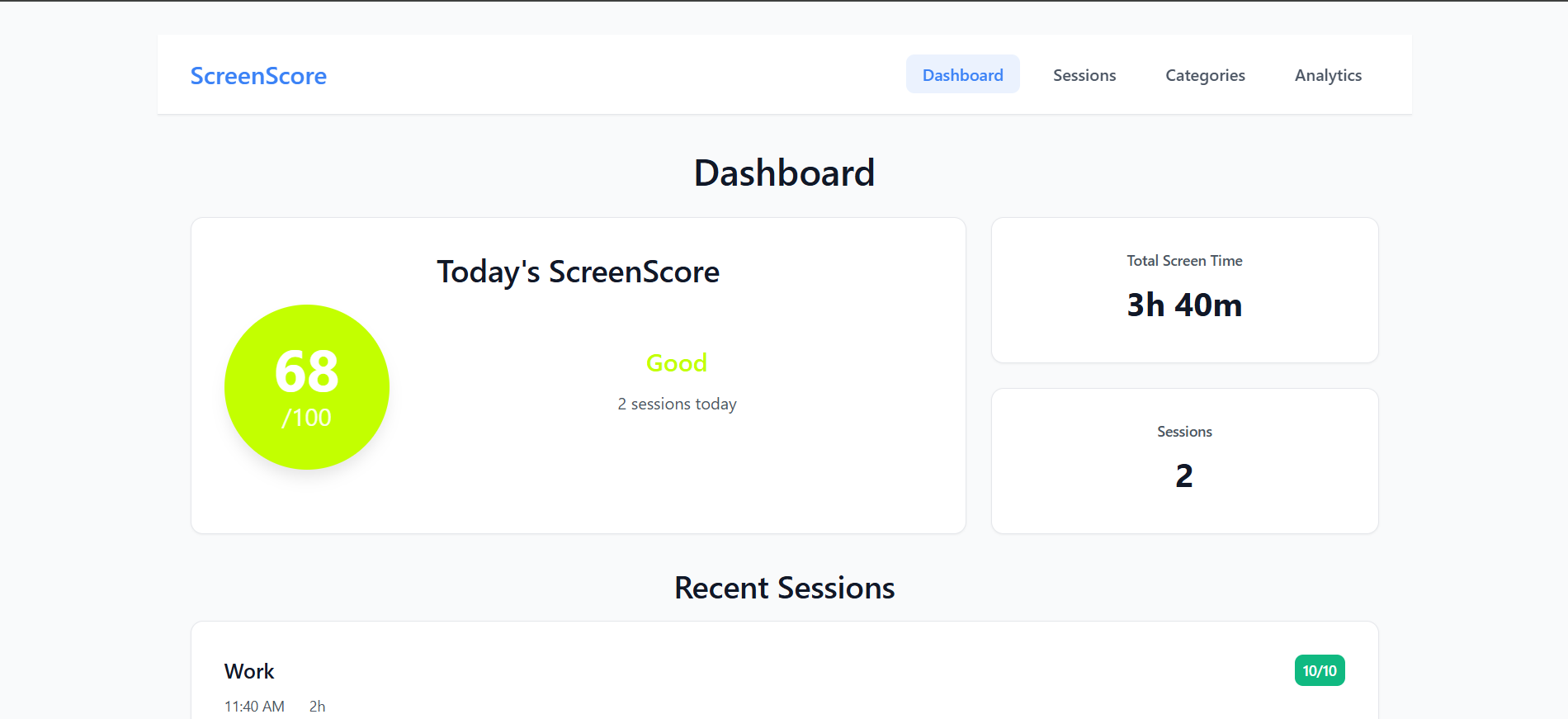
A full-stack web application that evaluates the quality of screen time, not just the quantity
Screenscore: Screen Time Quality Tracker
🎯 Vision & Purpose
As my first personal project, I wanted to keep things straightforward and get a real, hands-on feel for the full-stack development process.
To be honest, over the summer, days started blurring together where it felt like I did basically nothing. A basic phone trackers would just throw a generic warning saying “X hours = bad,” which didn’t help me differentiate between spending two hours reading the news or two hours unthinkingly doom-scrolling.
I built ScreenScore to change that narrative. It’s a tool designed to give me a way to quantitatively compare how my days actually stacked up.
What it does:
- Weighted Scoring: Instead of a flat minute-count, it calculates a score from 0 to 100 based on the “Quality Grade” you assign to different categories.
- Category Context: Differentiates between a high-value 2-hour coding session and a low-value 2-hour rabbit hole.
- Trend Tracking: Visualizes weekly progress so you can instantly spot your productive peaks and dips.
- Data Persistence: Backed by Flask and SQLAlchemy to keep a permanent, structured log of your digital habits.
🛠️ The Tech Stack
- Backend: Python with Flask & SQLAlchemy
- Frontend: React + Vite
- Visualization: Chart.js to turn raw database entries into visual trends.
📁 Project Architecture
1
2
3
4
5
6
7
8
9
10
11
12
13
screenscore/
├── backend/
│   ├── app/
│   │   ├── models/        # SQLAlchemy Database models
│   │   ├── routes/        # API Endpoints (CRUD & Analytics)
│   │   └── services/      # Core business & scoring logic
│   └── run.py             # Flask entry point
├── frontend/
│   ├── src/
│   │   ├── pages/         # Dashboard, Sessions, Analytics
│   │   ├── services/      # Axios API integration
│   │   └── utils/         # Score & Date calculation helpers
└── README.md
This post is licensed under CC BY 4.0 by the author.