BookShelf: Personal Library Manager
A full-stack web application for managing your personal book collection with a (upcoming) beautiful 3D bookshelf visualization.
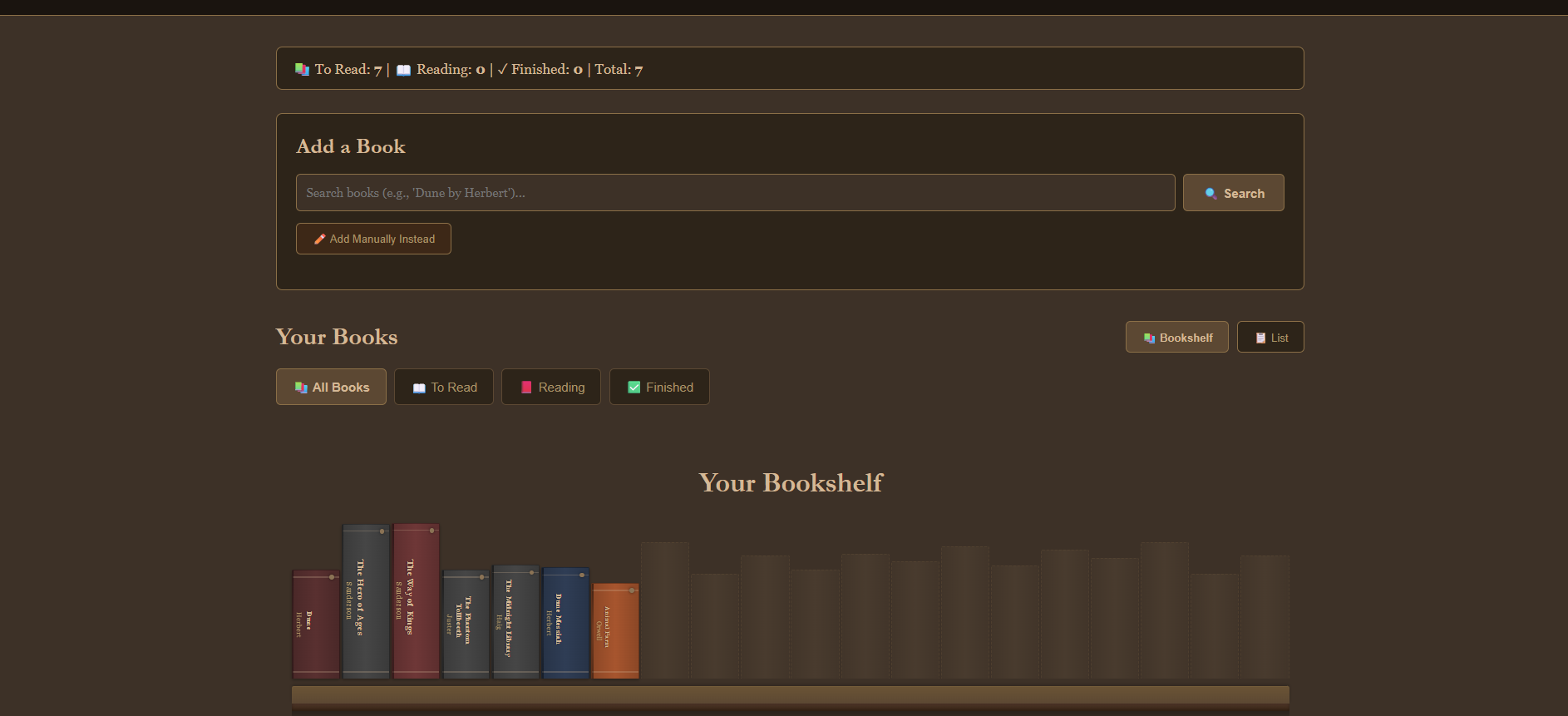
🎯 Vision & Purpose
I built Bookshelf to get my hands dirty with external API integration while building something that speaks to my love of reading.
My reading habits can be pretty inconsistent. I usually end up binge-reading during the summer when I actually have free time, only to step away during the school year. Because of that, I never really kept a solid list of what I’ve read or where I left off
The main goal here was less typing and more reading so adding the books wouldn’t feel like a chore. By hooking into the *oogle Books API, I made it so I can add a book to my collection in seconds without manually entering the small details, creating a nice digital home for my physical library.
What it does:
- Google Books Search: Auto-fills titles, authors, page counts, and cover art directly from the API.
- Full CRUD Management: Easily add, edit personal ratings/notes, update statuses, or remove books.
- Reading Progress: Calculates real-time completion percentages so you know exactly where you left off.
- Visual Analytics: Uses interactive charts to track genre breakdown and reading habits over time.
🛠️ The Tech Stack
- Backend: Python & Flask 3.0 with SQLAlchemy for ORM database management.
- External API: Google Books API for fast, automated book data retrieval.
- Frontend: React 18 built with Vite for a fast, responsive user interface.
- Visualization: Recharts for data dashboards, paired with custom CSS3 to hit that antique library aesthetic.
📁 Project Architecture
1
2
3
4
5
6
7
8
9
10
11
12
13
14
15
bookshelf/
├── backend/
│   ├── app/
│   │   ├── models/          # Where the book and user data lives
│   │   ├── routes/          # My REST API endpoints (CRUD & Stats)
│   │   └── __init__.py      # App factory setup
│   ├── run.py               # Entry point
│   └── requirements.txt
├── frontend/
│   ├── src/
│   │   ├── components/      # Reusable UI like the BookCard and Analytics
│   │   ├── services/        # The Axios bridge to my Flask API
│   │   ├── App.jsx          # Main logic
│   │   └── main.jsx
└── README.md